

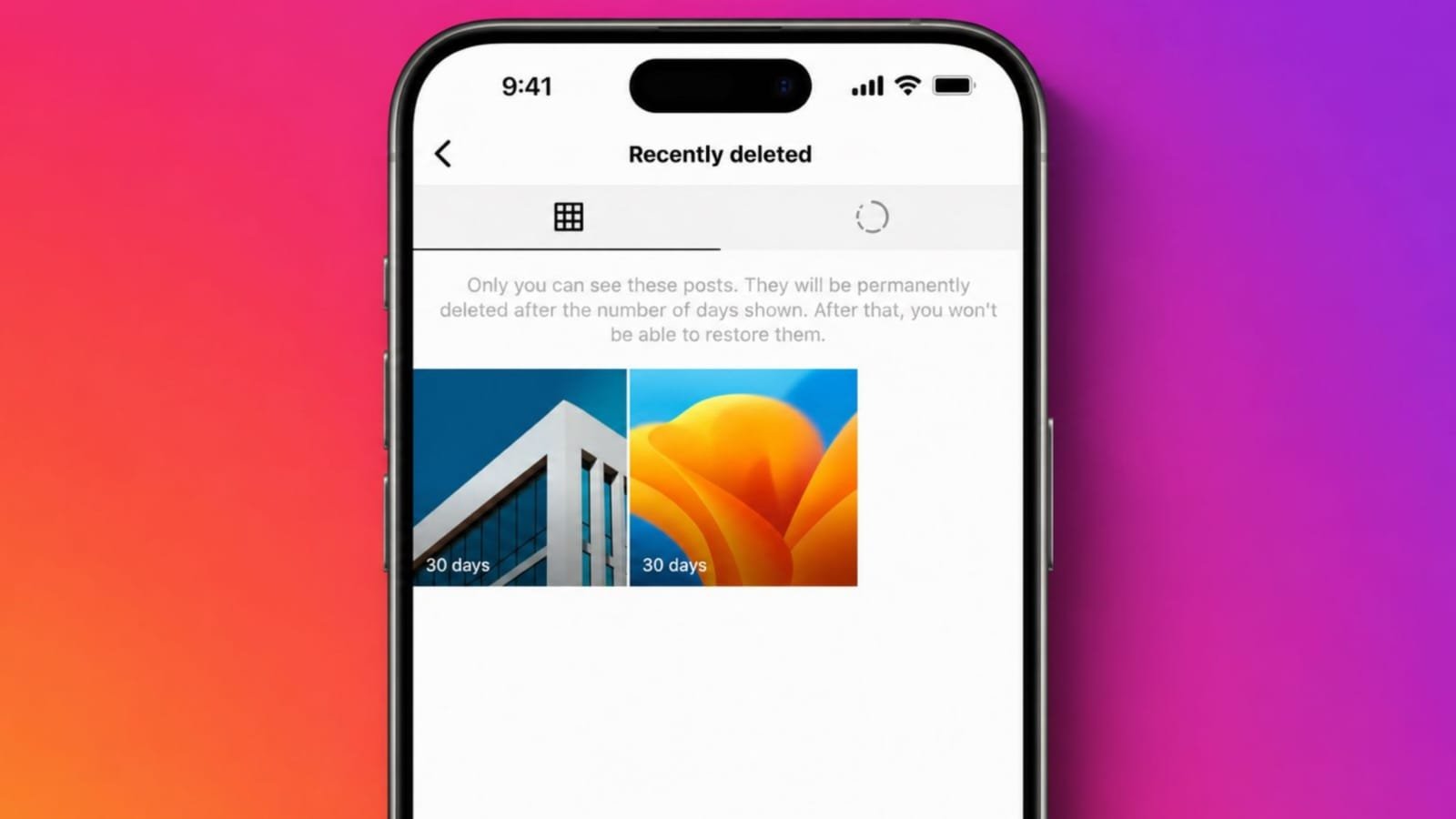
Recover Recently Deleted Instagram Photos and Stories using simple Instagram tools. Instagram offers easy recovery for deleted memories today.
Quick action saves valuable photos, videos, reels, and stories. Learning these features protects important content from permanent loss.
Restore Recently Dumped IG Photos and Stories Using Recently Deleted
Instagram helps users recover accidentally removed content. This feature saves many valuable personal memories. It works directly inside Instagram account settings. No extra application becomes necessary for recovery.
Many users remove posts without careful thinking. Some users redesign their profile appearance completely. Others delete relationship memories after breakups. Later, many users regret those quick decisions.
Instagram understands these common situations very well. Therefore, it created the Recently Deleted feature. This section stores removed content temporarily. Users receive another chance before permanent deletion.
Recently Deleted supports several Instagram content types. You can recover deleted photos very easily. Videos also remain available for restoration. Instagram reels stay inside this folder too. Deleted stories also appear temporarily here.
However, storage time differs between content types. Photos remain available for thirty full days. Videos also stay during thirty days. Reels follow the same recovery period. Stories stay only twenty-four hours after deletion.
After these limits expire completely, recovery becomes impossible. Instagram permanently removes expired deleted content. Users cannot restore expired files afterward. Therefore, quick recovery remains very important.
Many people never notice this helpful feature. Instagram places it inside account settings. Finding this section sometimes feels confusing. Learning its location saves important memories.
Steps to Open Recently Deleted
Follow these easy recovery instructions carefully.
- Open the Instagram application first.
- Tap your profile picture below.
- Open your personal profile page.
- Tap the three-line menu button.
- Select the Your Activity section.
- Scroll downward through available options.
- Open the Recently Deleted section.
- View available deleted Instagram content.
This folder displays eligible deleted items only. Expired content never appears inside here. Recently deleted memories remain clearly organized. Users quickly find needed content.
Every deleted item shows separately inside folders. Photos, videos, reels, and stories appear. Open each item before making decisions. Choose restoration or permanent deletion later.
Restore Deleted Instagram Photos, Videos, Reels, and Stories
Recovery becomes simple after opening Recently Deleted. Instagram provides clear recovery options immediately. Users complete restoration within several minutes. Every step remains easy for beginners.
Choose the deleted item carefully first. Open that selected photo completely. Videos and reels follow identical steps. Stories also restore using similar actions.
Next, tap the three-dot menu button. Several useful options become visible immediately. Choose the Restore option carefully. Instagram begins the verification process.
Verification protects every Instagram account securely. Instagram confirms account ownership before restoration. This improves privacy and account safety. Unauthorized users cannot recover your content.
Instagram may send verification emails sometimes. Other users receive verification text messages. Complete verification using received instructions. Recovery continues after successful confirmation.
Once verification finishes successfully, restoration begins. Deleted posts return to profiles immediately. Photos appear within their original position. Videos also become visible again. Reels return without changing original details.
Recovered stories work slightly differently afterward. Stories reappear after successful restoration. They still disappear after twenty-four hours. This matches normal Instagram story behavior.
Recovered posts stay permanently on profiles. Followers can view restored content again. Everything appears almost exactly as before. Users enjoy recovered memories once more.
Permanently Delete Content Early
Instagram also offers another useful option. Users may permanently remove selected content. Waiting thirty days becomes unnecessary sometimes.
Follow these simple permanent deletion steps.
- Open the Recently Deleted folder.
- Select the required deleted item.
- Tap the three-dot menu.
- Choose permanent deletion carefully.
- Confirm your final decision.
Permanent deletion removes content immediately forever. Recovery becomes impossible after confirmation. Always review selected files before deleting. Important memories deserve extra attention.
Quick decisions prevent unnecessary future regrets. Recently Deleted gives users valuable flexibility. Instagram balances convenience with stronger security. These features improve everyday account management.
Regain Access with Archive
Recently Deleted works only for limited periods. Expired deleted content cannot return again. Instagram offers another helpful saving option. This feature is called Archive.
Archive works differently from normal deletion. Archived posts remain saved without time limits. Followers cannot see archived content anymore. However, account owners always keep complete access.
The archive becomes perfect for uncertain decisions. Users hide posts without deleting memories. Personal content stays safe for years. Recovery remains possible whenever users choose.
If deleted content expires completely, recovery ends. Archive cannot restore permanently deleted content. It only restores previously archived posts. Therefore, choose Archive before deleting important memories.
Many users remove older profile posts. They want cleaner profile layouts later. Some hide embarrassing childhood photographs temporarily. Others remove memories from earlier relationships.
Months or years later, feelings change naturally. Those memories become valuable once again. The archive helps preserve every important moment. It also avoids unnecessary permanent loss.
Steps to Archive Instagram Posts
Follow these simple archiving instructions carefully.
- Open your Instagram profile page.
- Select the post needing privacy.
- Open the chosen photo completely.
- Tap the three-dot menu button.
- Select the Archive option.
Instagram hides the selected post immediately. Followers cannot view archived content anymore. Your memories remain safely stored forever. You control future restoration anytime.
View Archived Instagram Content
Finding archived posts remains very simple. Everything stays inside your account settings. Instagram keeps different archive sections separately. Users quickly find saved memories later.
Follow these easy viewing steps below.
- Open your Instagram profile.
- Tap the three-line menu icon.
- Select the Archive option.
- Browse your archived content easily.
Instagram first opens the Posts Archive automatically. A drop-down menu appears above. Switch between available archive categories easily.
View Stories Archive whenever necessary. Live Archive also remains available. Each archive section stores different memories. Stories stay inside Stories Archive.
Previous live videos appear separately. Everything remains clearly organized for users.
Restore Archived Instagram Posts
Restoring archived content takes only minutes. Instagram provides simple recovery controls. Every restored post returns normally.
Followers can see restored content again. Follow these restoration steps carefully.
- Open the Archive section.
- Select your archived post.
- Open the selected content.
- Tap the restore icon.
- Confirm your restoration choice.
The restore icon looks very familiar. It resembles a browser refresh symbol. Restored posts return to profiles instantly. Original captions and details remain unchanged.
Recently Deleted Versus Archive
Both features protect important Instagram memories. However, their purposes remain different.
Understanding these differences helps every user. Better decisions become easier afterward.
Recently Deleted
- Stores deleted photos and videos.
- Stores deleted reels and stories.
- Posts stay thirty days maximum.
- Stories stay twenty-four hours only.
- Supports recovery before expiration.
- Allows permanent deletion anytime.
- Requires ownership verification before restoration.
Archive
- Hides posts without deleting them.
- Keeps content without time limits.
- Followers cannot view archived posts.
- Owners access archived memories anytime.
- Restores posts whenever needed.
- Works only for archived content.
Choose Recently Deleted after accidental deletion. Choose Archive before uncertain removal decisions.
Archive offers longer content protection. Recently Deleted helps recent mistakes quickly.
As We Conclude
Instagram offers simple tools to Regain Access on Recently Deleted Instagram Photos and Stories. Recently Deleted restores recently removed content quickly.
The archive safely stores older private memories forever. Learn both features and protect important Instagram moments.