

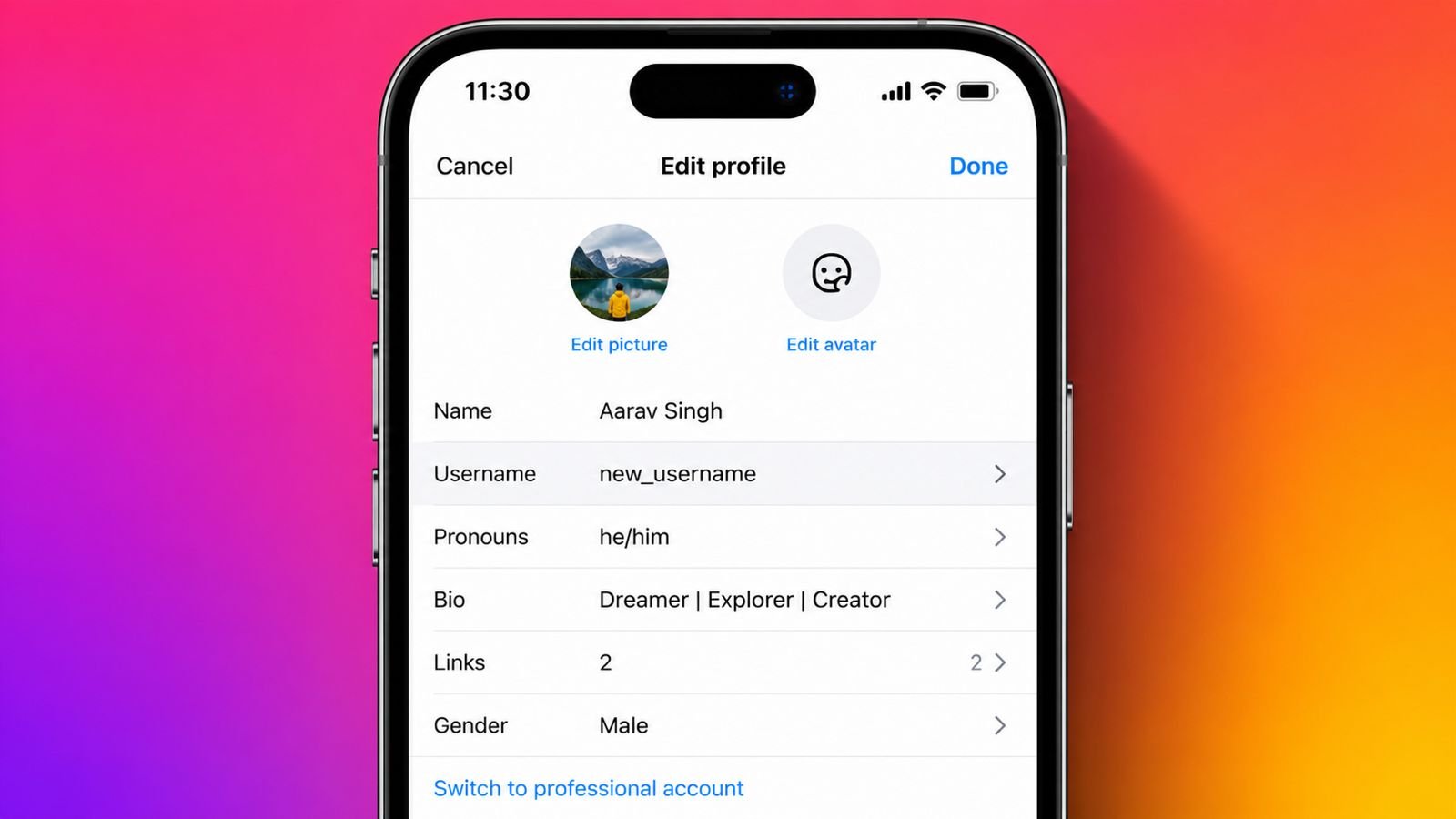
Many users change Instagram usernames for personal or business reasons. A better username improves recognition and strengthens online identity.
Choosing the right username helps followers find profiles faster.
Change Instagram Username: What Is An Instagram Username?
An Instagram username is your unique account identity. Every username always starts with the @ symbol. Your username appears inside your profile web address.
People search your profile using this username daily. Friends also tag and mention your username easily. Your username works like your online digital address.
Every Instagram account always needs one unique username. Two accounts cannot share the same username together.
Your display name is completely different from usernames. It appears below your profile picture in bold.
Display names never need complete uniqueness across Instagram. They can include spaces and different special characters.
Usernames follow stricter rules for every Instagram account. Your profile link changes after changing your username. Old profile links stop working after successful updates.
Instagram remains among the world’s biggest social platforms. Nearly two billion users visit Instagram every month.
India has the largest Instagram audience worldwide today. Millions of people create content every single day.
Many users regularly update profiles for better visibility. A memorable username always creates stronger first impressions.
Why Users Update Their Usernames
People change usernames for many different important reasons. Personal interests often change after several passing years.
Older usernames sometimes no longer represent current personalities. Fresh usernames better match changing lifestyles and interests.
Many creators change usernames after changing content themes. Businesses often update usernames during complete rebranding campaigns.
Matching usernames strengthen brand identity across social platforms. Consistent usernames improve customer trust and easier recognition. Better usernames also support future business growth successfully.
Some users change usernames after legal name changes. Marriage often encourages profile updates across social platforms.
Others remove personal details for stronger online privacy. Simple usernames remain easier to remember and share everywhere.
Previously unavailable usernames sometimes become available later. Users quickly claim these better username opportunities.
Short usernames usually look cleaner and professional. Easy usernames help followers remember profiles much faster. Smart username choices improve long-term online branding greatly.
Steps Using The Mobile Application
Changing your Instagram username using mobile remains very easy. Follow these simple steps for quick profile updates.
Open Your Instagram Profile
Open the Instagram application on your mobile phone first. Sign into your account using correct login details.
Tap your profile picture below the screen corner. Your complete Instagram profile page will immediately appear.
Edit Your Username
Tap the Edit Profile button below your profile details. Open the Username field from available profile options.
Delete your current username before entering another one. Type your preferred username inside the available field. Instagram automatically checks username availability during typing.
A green checkmark confirms successful username availability instantly. A red mark means another user owns it.
Try another username until finding an available option. Tap Done or the checkmark saving changes.
Your updated username appears immediately across your Instagram profile. Followers can see your new username instantly. Instagram usually keeps your previous username temporarily reserved.
You may return within fourteen days safely. Recovery works only before another user claims it. Instagram allows multiple username changes without fixed limits.
However, frequent changes may cause temporary restrictions later. Choose your username carefully before confirming final changes.
Steps Using A Computer Browser
Desktop users can easily change usernames through browsers also. The complete process requires only several simple steps.
Log Into Your Instagram Account
Visit the Instagram website using any preferred browser. Sign into your Instagram account using credentials.
Click your profile picture above the page corner. Select Profile from the available menu options.
Save Your New Username
Click the Edit Profile button below your username. Open the Username field on the settings page.
Remove your current username before entering another one. Type your preferred available username carefully there.
Scroll downward before clicking Submit or Save. Your updated username becomes active almost immediately.
Display Name And Username Differences
Many users confuse usernames with display names frequently. Both appear together on every Instagram profile. However, both serve completely different profile purposes.
Your username always remains your unique account identity. Nobody else can use the same username. It appears inside your profile web address. Friends search and tag profiles using usernames.
Display names never need complete uniqueness across Instagram. They appear below profile pictures in bold.
Display names support spaces and different formatting choices. Emojis and special characters also remain supported.
Open Edit Profile before selecting the Name field. Enter your preferred display name carefully there. Tap Done or Submit saving updated changes.
Instagram limits display name updates every fourteen days. Therefore, confirm changes before saving your display name.
Rules, Tips, And Important Information
Instagram follows important rules for every username update. Follow these rules before saving your profile changes.
Instagram Username Rules
- Every username must remain completely unique.
- Usernames cannot exceed thirty total characters.
- Use only letters, numbers, periods, and underscores.
- Spaces are never allowed inside usernames.
- Special symbols like !, %, or $ remain prohibited.
- Never impersonate another person or business.
- Offensive usernames may violate community guidelines.
- Repeated username changes may trigger temporary restrictions.
Changing usernames also changes your profile website address. Your previous profile link stops working immediately afterward.
Share your updated profile link with followers quickly. This prevents confusion after changing your username successfully.
Instagram usually protects previous usernames for fourteen days. You may recover your old username during this period. Recovery works before another user claims that username.
Tips For Choosing A Better Instagram Username
A good username improves profile visibility and recognition greatly. Consider these simple tips before selecting your username.
- Keep your username short and memorable always.
- Avoid unnecessary numbers whenever possible.
- Avoid confusing special characters completely.
- Match usernames with your personality or niche.
- Business accounts should reflect brand identity clearly.
- Use matching usernames across different social platforms.
- Secure good usernames before somebody else claims them.
Simple usernames remain easier to remember and share worldwide. Consistent usernames strengthen branding across every online platform. Smart usernames create better first impressions immediately.
Important Things To Remember
Changing usernames supports personal growth and fresh branding. Many users update usernames after changing interests completely.
Others improve privacy by removing personal information. Businesses refresh usernames during important rebranding campaigns.
Legal name changes also require profile updates sometimes. Instagram allows username changes without fixed overall limits. However, frequent attempts may temporarily block future updates.
Plan carefully before confirming your final username choice. Good usernames support stronger long-term online success.
The Bottom Corner
Change Instagram Username confidently using simple Instagram profile settings. Follow platform rules before confirming every profile update.
Choose memorable usernames matching your personality or business. Smart username choices improve branding, visibility, and follower recognition.