

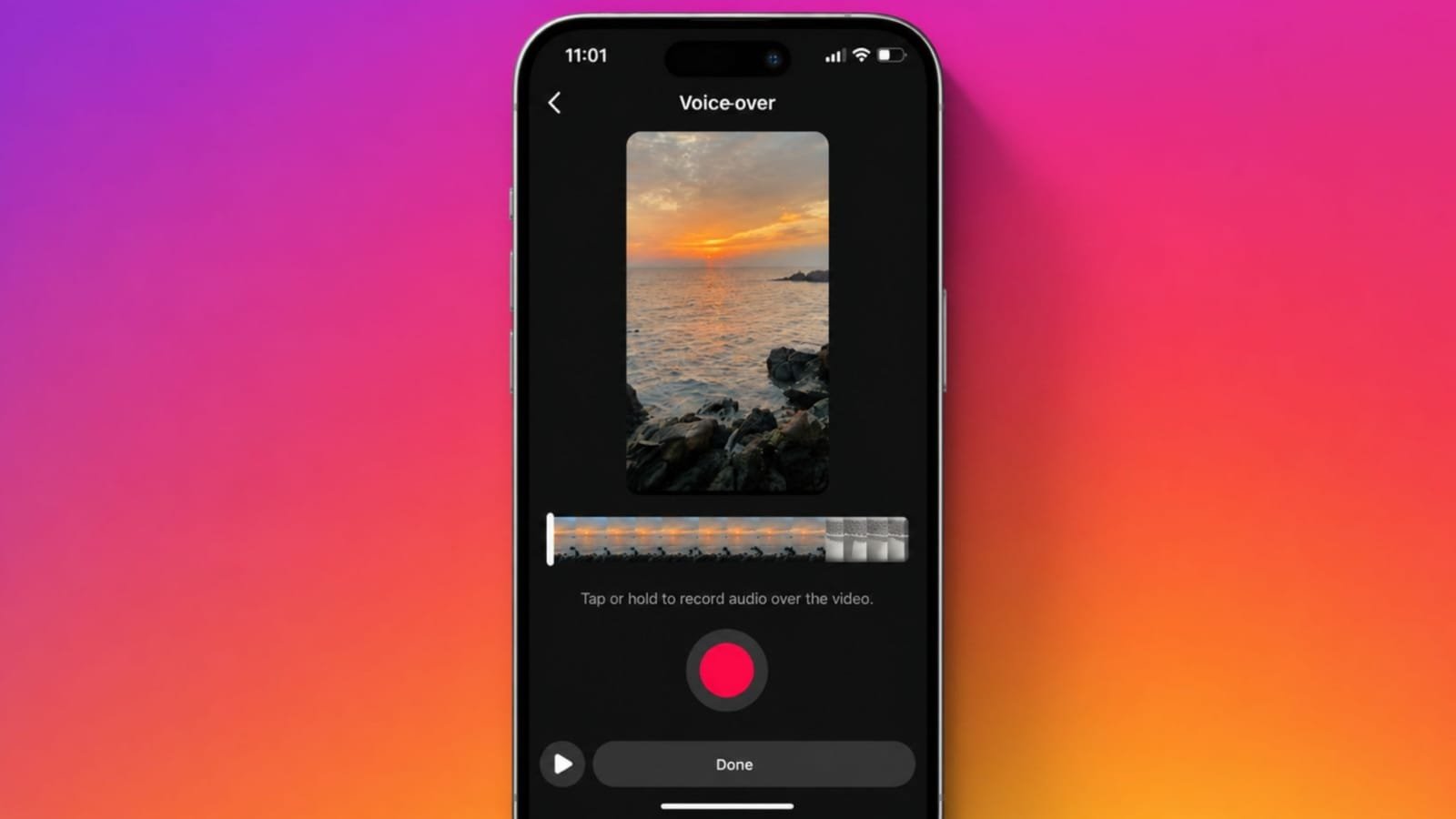
Add a Voiceover to Instagram Reels to make videos clearer and engaging. Voiceovers explain ideas using simple spoken words.
They help creators, businesses, and educators connect better. This guide covers every important detail simply.
Add a Voiceover to Instagram Reels: Understand The Feature
Instagram launched Reels in 2020 for short videos. The feature quickly became popular across many countries. Today, Instagram reaches billions of monthly active users.
Reels help creators, businesses, and brands reach audiences faster. Instagram belongs to Meta alongside Facebook and WhatsApp.
This wider network increases content visibility significantly. A voiceover adds spoken audio over an existing video. Most creators record narration after completing video editing.
Some prepare short scripts before recording every sentence. This keeps narration clear, organized, and easy to follow.
Voiceovers improve tutorials, reviews, product demonstrations, travel videos, and educational content. Clear narration also builds stronger audience trust naturally.
Instagram Reels currently support videos up to ninety seconds. Therefore, every spoken sentence should remain meaningful.
Short, clear explanations keep viewers watching until completion. Good production quality also improves audience engagement consistently.
Add On Android And iPhone
Instagram makes voiceover recording simple through its mobile application. The feature currently works only on Android and iPhone.
Voiceover recording is unavailable through Instagram’s website.
Android Steps
- Record a new Reel or select one.
- Tap Edit Video below the selected video.
- Scroll until Voiceover appears.
- Press and hold the recording button.
- Speak clearly while recording your narration.
- Release the button after finishing.
- Tap Done and share your Reel.
iPhone Steps
The process remains almost identical for iPhone users.
- Record a Reel or choose one.
- Select videos from the Photos application.
- Tap Edit Video below the screen.
- Find the Voiceover option.
- Press and hold while speaking.
- Release after recording finishes.
- Tap Done before publishing.
Record inside a quiet place whenever possible. Background noise reduces audio quality quickly.
Speak naturally and avoid rushing important points. Always preview recordings before posting publicly.
Using Different Methods
Instagram offers several easy voiceover options. Choose the method matching your content style best.
Record A Live Voiceover
Record your Reel before opening the preview screen. Tap Next, then open the Music section. Select Voiceover from available editing tools.
Press and hold while recording your narration. Tap Done after completing your recording. Instagram also supports multiple voiceover recordings.
Move the slider to another position. Record another narration for different video sections. Delete the latest recording whenever mistakes happen.
Add A Prerecorded Voiceover
Many creators record audio before editing videos. This method provides better recording control.
- Save your completed voice recording.
- Record or choose your Reel.
- Open the Music section.
- Select your saved audio file.
- Adjust starting and ending positions.
- Tap Done before publishing.
Use AI Text-To-Speech
Instagram also provides an AI text-to-speech feature. This option converts written text into spoken audio.
- Record your Reel first.
- Add text to the video.
- Double tap the text box.
- Choose Text-to-Speech.
- Select your preferred AI voice.
- Tap Done and publish.
Upload A Finished Video
Some creators edit complete videos outside Instagram. Save the finished video inside your gallery.
Open Instagram and choose Reel. Select your saved video and adjust settings. Tap Done before sharing publicly.
Add With Sound Effects
Instagram includes voice effects for creative narration. Record or upload your voiceover normally first.
Then choose Voice Effects or Sound Effects. Select your favorite effect before saving changes. Popular options include:
- Helium
- Robot
- Vocalist
- Other creative voice filters
These effects make videos more entertaining. However, always match effects with your content style.
Tips To Create Better Voiceover Reels
Good planning improves every Instagram Reel significantly. Start with an engaging introduction immediately.
Explain your topic within the opening seconds. Tell a complete story using clear structure. Keep every message short and valuable.
Use quick scene changes between different clips. Add filters, stickers, and effects carefully. Include text overlays for important instructions.
Match your narration with suitable background music. Follow relevant Instagram trends whenever appropriate.
Always include a clear call to action. Ask viewers to like, comment, share, or follow. Practice recording before publishing final videos.
Edit mistakes carefully for better quality. Write attractive captions with relevant hashtags. Reply to audience comments regularly. Positive conversations build stronger online communities.
Important Limitations
Instagram Reels currently support only ninety-second videos. Longer stories require shorter spoken explanations.
Voiceover recording works only through mobile devices. Instagram’s web version does not support recording.
Audio copyright rules also remain important. Licensed music belongs to original copyright owners. If another creator’s audio appears, only your voiceover belongs to you.
Original voice recordings receive their own audio page. Other creators may use your original audio. Instagram still credits your original narration correctly.
The Bottom Corner
Adding voiceovers makes Instagram Reels more engaging and informative. Multiple recording methods suit different creator needs.
AI voices, sound effects, and careful editing improve quality. Practice regularly to create clear, professional, and memorable Reels.