

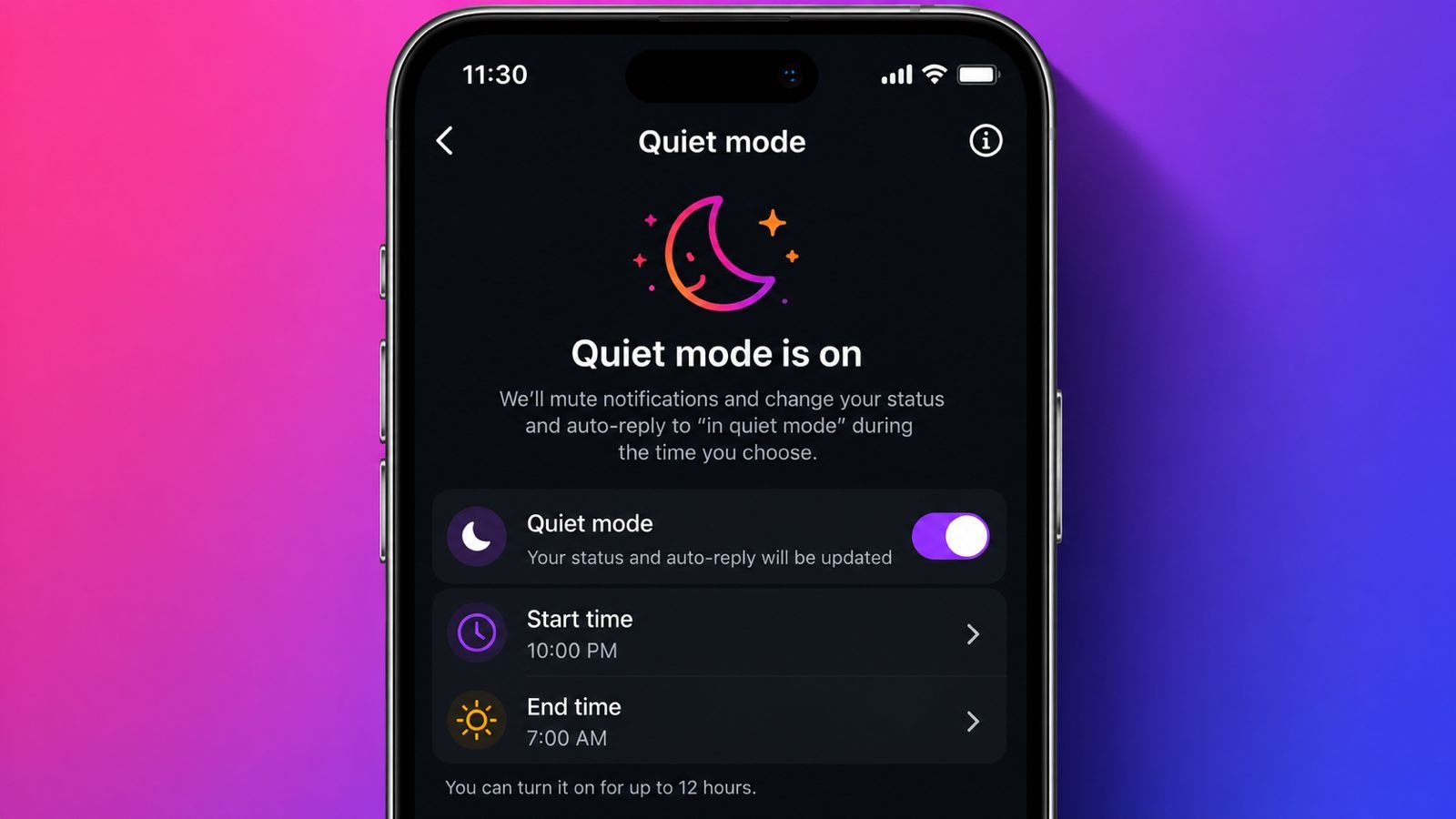
Use Quiet Mode on Instagram for better daily digital balance. This feature reduces unwanted notifications during important moments.
It supports healthier screen habits and better concentration. Everyone can enjoy peaceful social media usage every day.
Understand Quiet Mode Feature on Instagram
What Is Quiet Mode?
Use Quiet Mode on Instagram to reduce daily distractions. Instagram created this feature for healthier digital habits. It helps users focus on important daily activities.
The feature supports better mental wellbeing and productivity. It works on Android and iPhone devices. Both platforms offer almost identical settings today.
Many people receive countless notifications every single day. These alerts often interrupt work and personal time.
They also disturb study sessions and family moments. Nighttime notifications may affect healthy sleeping habits. Quiet Mode solves these common notification problems effectively.
Instagram wants users to create healthy online boundaries. The feature encourages regular breaks from social media.
It helps people disconnect without deleting their accounts. Users remain connected while avoiding unnecessary interruptions.
What Happens During Quiet Mode?
Several changes happen after enabling Quiet Mode successfully.
- Notifications become completely silent during selected hours.
- Activity Status changes to In Quiet Mode.
- Friends know you are temporarily unavailable.
- Direct messages receive automatic reply messages.
- Instagram shows missed activity after Quiet Mode ends.
- New notifications return after Quiet Mode finishes.
Automatic replies help friends understand your absence. Nobody feels ignored after sending direct messages. This improves communication while protecting personal time.
Instagram also provides a helpful activity summary later. Users quickly review everything they missed earlier. Catching up becomes simple after focused sessions.
Teenagers receive additional support through this feature. Instagram encourages teenagers to enable Quiet Mode. These reminders appear after extended nighttime Instagram usage. This promotes healthier sleeping and screen habits.
Turn It On and Customize Settings
How to Enable Quiet Mode
Turning on Quiet Mode requires only several easy steps.
- Open the Instagram application first.
- Tap your profile picture below.
- Open the top-right menu icon.
- Select Settings from available options.
- Open the Notifications section.
- Tap the Quiet Mode option.
- Turn the Quiet Mode switch on.
- Choose preferred starting and ending times.
- Select every day or preferred weekdays.
Instagram saves your settings immediately after selection. Notifications stop during scheduled Quiet Mode hours.
Friends instantly receive automatic message replies. Instagram also sends advance reminders before activation.
The reminder appears ten minutes before starting. This prepares users before notifications become silent.
How to Turn Off Quiet Mode
Disabling Quiet Mode remains equally quick and simple.
- Open your Instagram profile page.
- Tap the menu icon again.
- Select Settings and Notifications.
- Open the Quiet Mode menu.
- Turn the Quiet Mode switch off.
Instagram immediately restores normal notification delivery afterward. Users receive a missed notification summary first. New notifications continue arriving without further delays.
How to Schedule Quiet Mode
Scheduling creates automatic daily notification management. Open Quiet Mode settings through your profile menu. Select the scheduling section inside settings.
Set your preferred starting time carefully. Choose your preferred ending time afterward. Save the selected schedule successfully.
For example, choose 10 PM until 7 AM. Instagram automatically enables Quiet Mode nightly. It also automatically disables Quiet Mode later. This saves effort every single day.
You may schedule every weekday separately. Disable Quiet Mode on selected weekdays easily. Flexible scheduling supports different personal routines better.
Benefits, Extra Controls, and Helpful Tips
Why Should You Use Quiet Mode?
Quiet Mode offers many practical everyday advantages. Working professionals stay focused during important meetings. Students study without repeated notification interruptions.
Creative people brainstorm fresh ideas more peacefully. Families enjoy quality time without unnecessary distractions. Nighttime becomes calmer before sleeping every evening.
The feature improves digital wellbeing every single day. Users reduce unnecessary screen checking habits. Better concentration improves daily productivity naturally.
Healthy online boundaries become easier to maintain. Unlike phone Do Not Disturb mode, Quiet Mode specifically controls Instagram notifications.
Users still browse Instagram without notification distractions. This balance makes the feature highly useful.
Pause All Notifications for Longer Breaks
Sometimes users need notification breaks beyond Quiet Mode. Instagram offers another helpful notification management feature.
Follow these easy steps below.
- Open the Instagram application.
- Visit your profile page.
- Tap the top-right menu icon.
- Select the Notifications option.
- Enable Pause All notifications.
- Choose fifteen minutes through eight hours.
This feature temporarily pauses every Instagram notification. Users select different pause durations easily.
Available options range between fifteen minutes and eight hours. This option helps during meetings and travel.
Helpful Tips Before Using Quiet Mode
Always update Instagram before checking this feature. Older versions may miss newer functions. Feature availability depends on regional rollout sometimes.
Updating applications improves compatibility and performance. Choose schedules matching your personal daily routine. Nighttime remains the most popular choice worldwide.
Working hours also suit many professionals perfectly. Students often prefer study session schedules instead. Using Quiet Mode regularly builds healthier digital habits.
Small daily changes create meaningful long-term improvements. Better focus also reduces unnecessary social media dependence.
The Bottom Corner
Quiet Mode on Instagram reduces distractions and supports better concentration. Flexible scheduling makes everyday usage very convenient.
Better notification control creates peaceful and balanced online experiences.